
Showing posts with label Microsoft Word. Show all posts

Monday, June 13, 2011

Bootstrapping

When it comes to being your own boss, it's important to use every resource you have to its full potential. Take this blog for example. To this day, what you see has only cost me a total of about $12.

Bootstrap

I registered the domain address on GoDaddy.com: $12.
I registered the Blogspot address thesongbirdproject.blogspot.com: Free.
I registered the Gmail address thesongbirdproject@gmail.com: Free.
I designed the header myself on pixlr.com: Free.
I painted the bird logo myself: Free.
I take pictures using iPhone's Instagram app: Free.
I record videos and post them to YouTube: Free.
I post links to photos from Picassa (Google's Flickr-like service): Free.
With permission, I use photos from Flickr's Creative Commons: Free.
To post songs, I've used a service called OpenDrive: Free.
To back up Word documents of lyrics, I use Dropbox: Free.
The blog is supported by Google and Amazon adds that can earn me money: Free Money.

Really, the main cost is the time and effort it takes to post. 
When it comes to songwriting, this means there are ways to find inspiration without letting it hurt your wallet. I was flipping through Wired Magazine a few months ago and came across an interesting photo by Caleb Charland. The first thing I did was Google his name, click "images" and all of the sudden I had hundreds of his photos there in front of me. And what did it cost me? Nothing. Also, the public library is an incredible resource for free books and movies (as long as you remember to return them on time). It's also common to work out trades with other creative friends for recording time, press photos, design work, etc.

Recently, Dr. Jeff Cornwall (head of Belmont University's Entrepreneurship major) featured The Songbird Project on his blog. Read it here.

Keep writing (and bootstrapping),

Ben

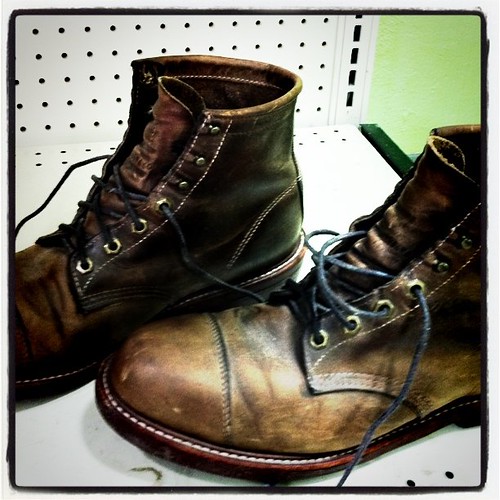
P.S. - I literally bought these $200 boots from Goodwill for $3.99. How's that for literal bootstrapping?

Wednesday, March 30, 2011

Writing Tools - Microsoft Word

For the last 7-8 years I've been in Nashville, Microsoft Word has been my go-to for typing and organizing my lyrics.

Here's an example of how I structure a lyric:


SONG TITLE                                                                                      DATE OF CREATION
(CO-WRITERS)

VERSE 1

       CHORUS

VERSE 2

              BRIDGE


I use all-caps because it's cleaner and less confusing than trying to figure out which letters should be capitalized. During my college internship at EMI and when I did some temp-work for Universal Music I learned that this practice is pretty standard.

In order to keep the song on one page, I use the tab function to set the chorus apart and only type it once (some people put the chorus in bold instead). The bridge (if there is one) is offset twice as far.

Of course, this style of typing only works for songs that fit this common song structure, so however you type your lyric should be determined by how the song should be written first.

Here's the lyric Melinda Schneider and myself wrote that Olivia Newton-John ended up singing:


Once you have written songs with multiple people, it's important to keep things organized. I have an overall folder entitled "lyrics" with sub-folders labeled with co-writers' names. Within each co-writer's folder, I have every song we've written.


One thing I'm interested in is the potential for Google Documents. It boasts many of the features of Word, but allows you to access your documents anywhere you can get Internet access.


Keep writing (and typing),

Ben